

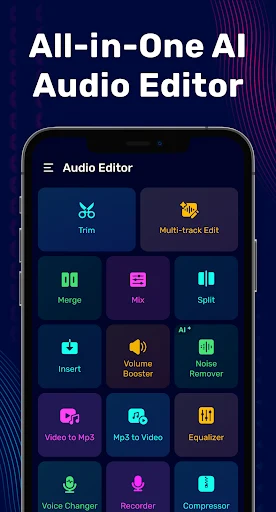
Audio Editor helps you edit music and other audio on Android, from trimming a section to preparing a ringtone or converting a video’s soundtrack into an audio file. Its tools cover editing, mixing, recording, format conversion, and playback adjustments in one application.
Trim and arrange audio
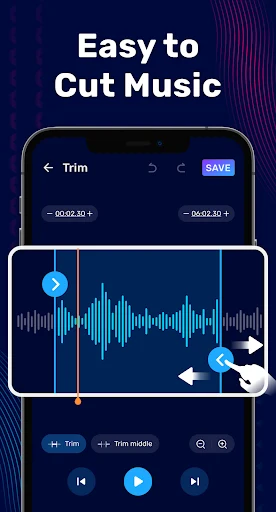
The MP3 editor includes a waveform view and a built-in player to help locate a section for trimming. Other editing tools let you merge, split, and rearrange audio clips, including clips in different formats. For ringtone creation, you can cut a chorus or another chosen passage and export it in a common format.
Mix clips and adjust sound
The music mixer provides controls for adding vocals, overlaying beats, and adjusting volume. For changes to playback level and tone, Audio Editor includes volume boosting and bass enhancement, with sliders and meters for adjusting levels. An audio compressor is also listed among its tools. These functions serve different purposes: the editing and mixing tools shape clips, while the volume and bass controls alter how the audio sounds.
Convert audio and extract video sound
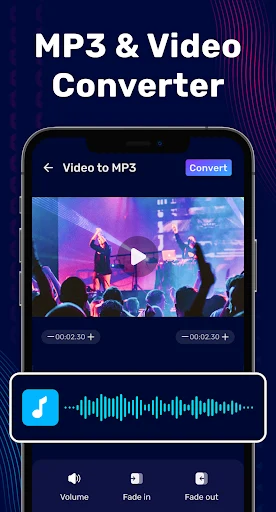
The converter processes audio files into other formats, including MP3 conversion. The app also offers video-to-MP3 extraction, which turns the audio track from a video clip into an audio file. These tools are useful when the task is to change an existing file’s format or keep its soundtrack as audio rather than edit a passage.
Record and change voice
Audio Editor includes a recorder for capturing voice and a voice changer for editing recordings. Together with the trimming and conversion tools, these features support working with both music and voice audio in the same app. The listed functions also include timbre adjustment and sound effects, alongside the main editing tools.