

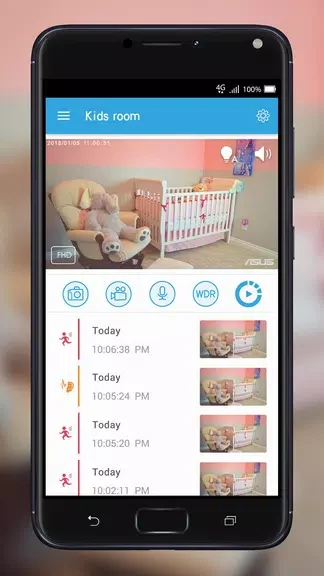
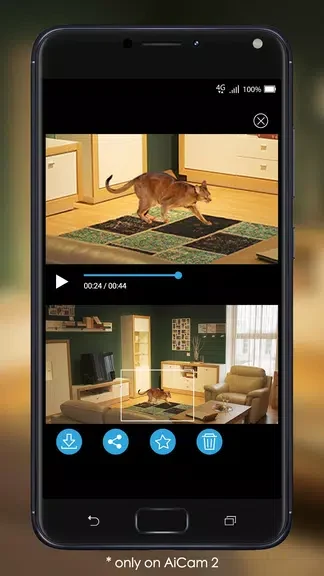
ASUS AiCam serves as a companion app for users who need to set up and manage their AiCam security devices from a mobile device. It provides tools to watch live video streams, take snapshots, and communicate through built-in audio features. The application supports adjustments to motion and sound detection so that notifications focus on meaningful events rather than random triggers. Footage can be saved to a cloud service for later review, and special tools help users browse recordings efficiently. This setup proves useful for anyone wanting reliable home or office oversight without constant manual checks.
Adjusting Audio and Motion Sensors
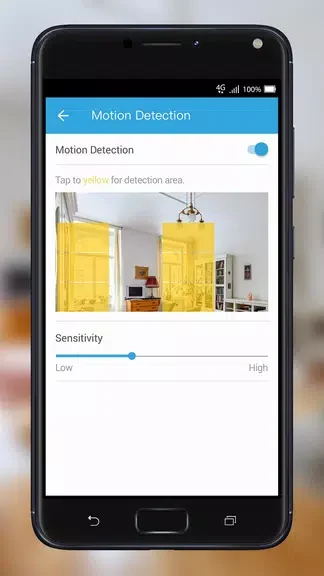
Users can modify the audio and motion sensors directly in the app to define specific detection zones. These zones limit alerts to chosen areas, which reduces unnecessary notifications from irrelevant movement or noise. The same controls apply to sound triggers, allowing the system to respond only when actual events occur within the monitored space.
Storing Footage in the Cloud
Recordings from the camera feed automatically upload to ASUS WebStorage. A free plan supplies continuous rolling storage that covers seven days of activity, so users can retrieve clips from any location without keeping files on the device itself. The service keeps the video secure while the app remains the central point for playback and management.
Navigating Recordings
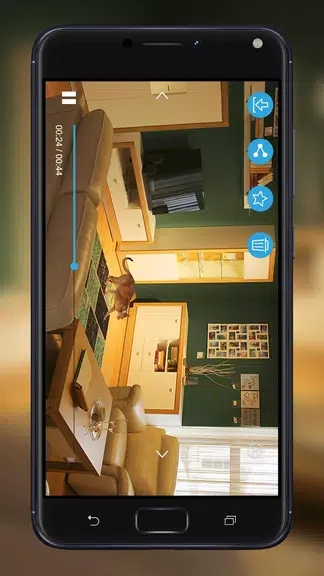
The Timeline view organizes past footage and alert clips into an accessible sequence. Users scroll or tap through the timeline to locate specific moments quickly. The My Favorite option lets them mark and retain selected clips beyond the standard seven-day window, keeping important segments available for future reference.
Handling Low-Light Conditions
When light levels drop, the built-in sensor activates infrared LEDs to maintain clear video output. This automatic switch ensures the camera continues to deliver usable images at night without any manual intervention from the user.