

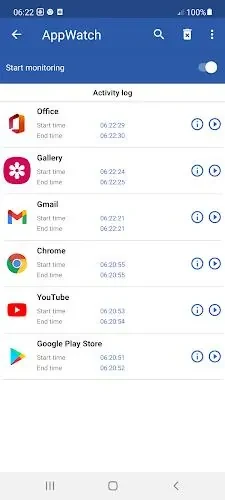
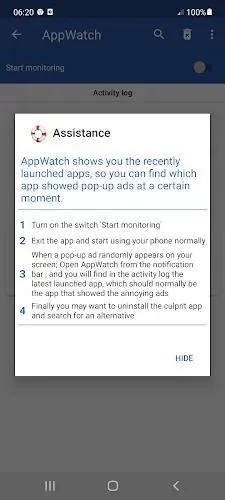
Appwatch : Anti pop-up ads helps identify the installed app responsible for unwanted pop-up ads. Turn on its monitoring switch, continue using the phone normally, and check the activity history when an advertisement appears. The recorded activity gives you a practical starting point for tracing the source instead of guessing which app is responsible. Once the problematic app has been identified, you can uninstall it and choose a replacement. This makes the app useful for people who want a straightforward way to investigate recurring pop-up interruptions.
Monitor app activity
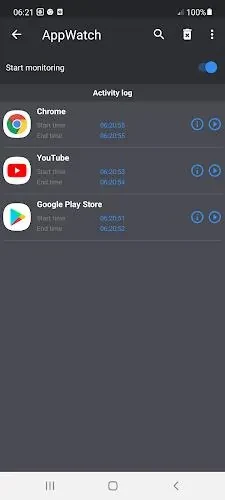
The app monitors activity from the apps on the phone while monitoring is enabled. To begin, activate the “Start monitoring” switch in Appwatch : Anti pop-up ads. You can then use the phone as usual and wait for a pop-up ad to appear. The monitoring step is what supplies the activity information needed for the next part of the investigation.
Review the activity history
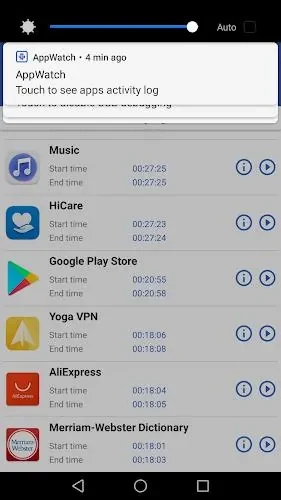
When an unwanted advertisement appears, open the app and review its activity history. This history is designed to help connect recent app activity with the pop-up, narrowing the search for the responsible application. Checking the history regularly can also help users notice a newly installed or newly problematic app when the source of the advertisements changes.
Remove the identified app
After the activity history points to an app, Appwatch : Anti pop-up ads supports the next practical step: removing the suspected source. Uninstall the problematic app from the phone, then look for a suitable alternative if its function is still needed. This monitor, review, and removal process keeps the app focused on identifying the source rather than blocking advertisements directly.
A simple routine for recurring pop-ups
For repeated interruptions, leave monitoring active during normal phone use, consult the history soon after a pop-up appears, and remove the identified app promptly. Regular checks are recommended in the supplied guidance so that new apps causing pop-up ads can be investigated as they appear.