

AOD Flow is an Always On Display app for Android that keeps useful information visible on the standby screen. Instead of leaving the display fully dark when the phone is idle, it lets you check the clock, notifications and music controls without unlocking the device. The description says the app keeps the screen on while optimizing its power use so that it consumes as little energy as possible. The supplied listing does not include measured battery figures, so that claim should be read as the developer's description rather than verified test data.
Why an always-on standby screen is the central idea
According to the description, a normal screen switches off when the phone is not in use and has to be woken before it can be read. A display that stays on all the time would drain energy quickly and shorten the time between charges, which is the problem the app is built to address. The approach aims to keep information ready at a glance, so you can use the device immediately when you need it. Because the app's own description frames this as an energy-conscious design, the practical benefit depends on how you configure the timing and dimming options described later in this article.
Notifications on the standby screen
The app displays messages, missed calls and notifications from apps on the standby screen, which lets you see them without unlocking the phone. The notification display can be adjusted. You can resize it, change the text color and move the viewing position so the notification sits closer to your line of sight. When a new notification arrives, the screen lights up softly so that it is less likely to go unnoticed. The description also mentions viewing content quickly without touching the screen, which it presents as useful in busy situations where unlocking the phone would take extra steps.
Music and video controls
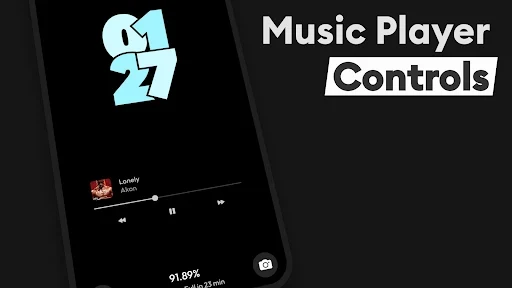
The app includes a minimal control panel for music playback on the standby screen. From that panel you can pause, replay or switch songs with a single tap, and the description says you can fast forward to a part you want to hear. The listing names Spotify, YouTube and the phone's native player as examples of playback apps the controller works with. You can also adjust the position and layout of the controls to suit how you use them. When you press a control, the screen lights up slightly, which the description presents as a way to follow the action without a significant battery cost.
Clock styles and display options
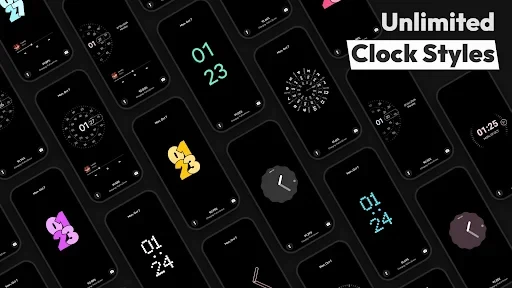
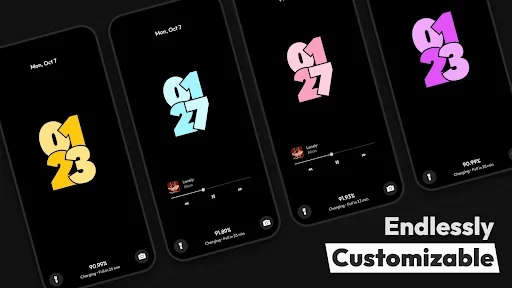
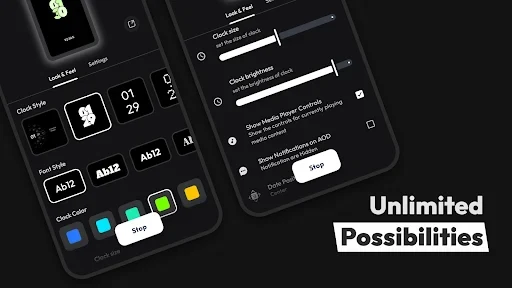
The clock is the main visual element of the standby screen, and AOD Flow offers several clock models. The description mentions designs ranging from minimalist to high-tech styles. You can change the clock's color, size and position so it matches the overall look of your interface. For a livelier screen, the description mentions dynamic effects, and it says the display mode can be changed in real time. The description also states that the clock is meant to stay easy to follow in low-light conditions, though the listing does not explain how this is measured or tested.
Timing, dimming and text customization
Beyond appearance, the app lets you choose a specific period during which the screen stays on, or have it turn off automatically after a chosen interval to save battery. For AMOLED screens, the description says a dimming option reduces brightness to an appropriate level, which may suit users who are concerned about a continuously displayed image. Fonts, colors and sizes of the clock can all be changed. For example, a brighter color or a larger font can make the time easier to read. The description says these settings are made on the app's own interface, without a long series of complex menus.
Power, charging and utility extras
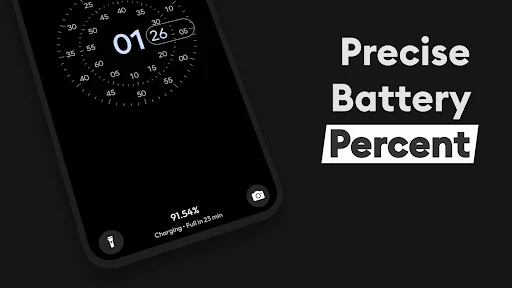
The listing's feature summary includes several additional items. Fast charging detection displays when the device is charging quickly. Burn-in protection is described as a set of techniques intended for AMOLED and OLED displays. A power saving mode pauses animations, such as rotating clocks, after a set period. A double-tap gesture exits the always-on screen. The torch and camera can be reached from the AOD screen, and date and time formats can be adjusted. A StandBy mode is also described, which the developer presents as a way to use the phone as a bedside or desk clock, with night mode, a digital clock, a fullscreen analog clock and quick app launching.
Setup considerations
The supplied listing data does not state a verified minimum Android version, and the description mainly refers to devices with AMOLED screens. Before installing, check the store page for current compatibility details, supported devices and any permissions the app requests. Some features, such as burn-in protection and dimming, are described in terms of AMOLED and OLED displays, so their relevance depends on the screen technology in your phone.