


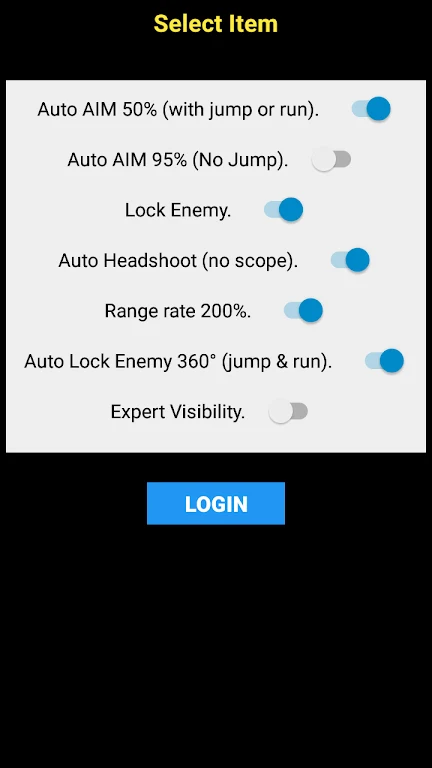


AIM Free Fire places a fixed crosshair over the display to give players a consistent aiming reference during Free Fire sessions. The marker is designed to remain visible while sprinting, rotating the camera, looting, managing inventory, or moving between menus and match screens. This can be useful for players who want a steady visual point without changing the game's controls. The overlay can be used in ranked matches, casual modes, training rooms, and lobbies, while its appearance can be tuned to remain noticeable against different map backgrounds and lighting conditions.
Aiming reference that stays in place
The central crosshair is intended to remain steady as the player moves around the game. Because it continues to appear during camera rotation, sprinting, looting, and inventory management, the reference does not need to be recreated after each action. In active fights, this gives the player a single point to follow when lining up shots or tracking a target. The tool focuses on visual guidance rather than changing the game's controls or mechanics.
Adjustable visibility and design
AIM Free Fire includes multiple crosshair styles and lets users alter the marker's size and color. Brightness and thickness can also be adjusted to improve visibility without making the reticle unnecessarily prominent over other on-screen information. A high-contrast color may be useful on frequently played maps, while different settings can help when the background, weather, or lighting makes the original choice harder to see. These controls provide practical adjustment without requiring changes to the game itself.
One overlay across menus and game modes
The system-wide overlay is described as continuing across lobbies, training rooms, and match modes. This means the selected crosshair does not need to be reset every time the player changes screens or enters another type of session. The same setup can therefore support practice, casual play, and ranked queues. Its presence during transitions also makes it possible to keep a familiar visual arrangement from one activity to the next.
Quick controls during a session
In-match toggles allow the overlay to be enabled or disabled and let users switch between designs while playing. These controls are useful when a selected crosshair becomes difficult to see after the map or lighting changes. The source describes the setup as simple, with changes available through a few taps rather than extended menu navigation. Players can therefore manage visibility or style during training and live matches without leaving the current activity.
Use and known limitations
The tool is presented as a visual overlay that does not modify game files or in-game mechanics. However, overlay use may be subject to the rules of particular tournaments or ranked environments, so players should check those rules before using it. The source also notes that some functions may become inconsistent after newer game updates, that there is no official support or bug-fix service, and that crashes may occur on older phones during longer sessions. Its interface and customization range may also feel limited to experienced users seeking more advanced controls.