

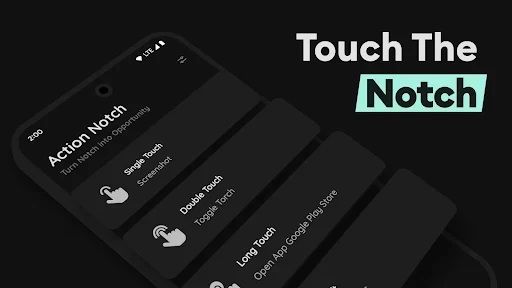
Action Notch is an Android app built around one core function: using the space around the camera cutout as a shortcut button. Instead of opening a standard app or pulling down the notification bar, users can trigger selected actions by interacting with the notch area. The source describes the app as a way to perform common phone tasks from the screen while reducing reliance on physical buttons.
How the notch becomes a shortcut
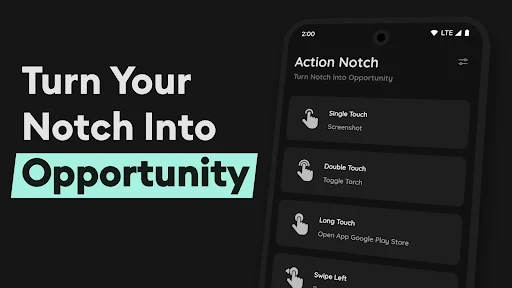
The app assigns actions to gestures performed on the notch. The documented gestures are single tap, long press, double tap, and swipes to the right or left. Because each gesture can be mapped separately, the notch can serve several purposes rather than one fixed function. The developer describes the result as an assistive touch tool that takes inspiration from Dynamic Island on other platforms, adapted to the notch of the user's own device.
Setup, according to the description, requires granting basic permissions so the system can recognize the location of the notch. After this step, a touch on the notch can start an action without the user first opening Action Notch itself. The source does not describe the internal mechanism used for this, so the explanation here is limited to the user-facing behavior.
Actions available from the notch
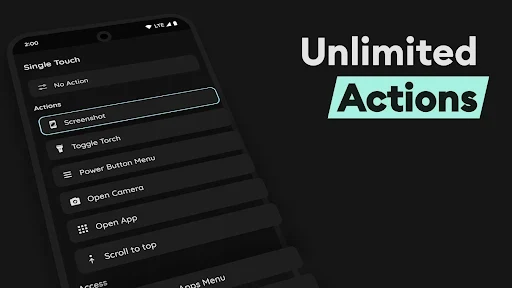
The documented actions fall into a few practical groups. The first group covers common device controls, including taking a screenshot, turning on the flashlight, opening the power menu, and scrolling. The second covers navigation, such as opening the camera, opening the recent apps menu, scrolling to the bottom of a page, and opening the notification panel or quick settings panel. The third covers direct access to content, including rapid shortcuts to essential apps and speed dialing for favorite contacts.
Media and display controls are also part of the feature set. The source says users can pause, play, or change songs, and increase or decrease screen brightness from the notch. Screen recording is listed as an action in the changelog, and the app supports recording with both the front and rear cameras according to the feature description. The changelog also mentions an option to record audio and video silently, which is relevant for users who want recording to run without the usual feedback.
Customization and control
The main user control is assignment. Users can choose which action belongs to which gesture and can set up multiple toggle buttons based on their needs. If a particular application is opened often, the notch touch operation can be assigned to that app for faster access. Camera, recording, and brightness actions can also be set according to personal preference.
Several changelog entries add control over when the notch should respond. The app includes an option to blacklist certain apps, which means the notch shortcut can be restricted in selected applications. Another option pauses the notch behavior during a phone call, and a further option disables Action Notch in landscape mode. When the feature is not needed, the source states that users can turn it off with a few simple operations to avoid accidental presses.
Practical role and limits of the description
The practical benefit described by the source is faster access to frequent actions with fewer steps. The developer also states that using the notch can reduce wear on physical power and volume buttons by letting users perform some familiar operations through touch. This is a claim from the description and should be read as the developer's stated purpose rather than a measured result.
The source describes the interface as simple, with icons intended to make functions easy to identify. It also states that the app is designed to run smoothly on devices without very strong hardware. These are promotional descriptions and are not supported by independent testing in the supplied material. The source also lists the version as 1.4.8 and places the app in the Theme category, but the category should be treated as a listing label rather than a description of the app's full capability.