

0Popcorn time is an Android media app in the Media & Video category, version 3.6.10. Its documented core function is streaming movies and TV shows on the device without a separate download step. According to the supplied listing, the app retrieves the .torrent file for a chosen title and streams it, so users can start watching directly.
Streaming without a separate download step
The listing states that users can play hundreds of movies and TV shows on an Android device without downloading anything beforehand. It also explains that the app works similarly to the Windows version of Popcorn Time. It downloads the .torrent file of the title selected by the user and streams the content to the device. Because of this streaming method, the listing advises using the app over a Wi-Fi connection.
Browsing and choosing titles
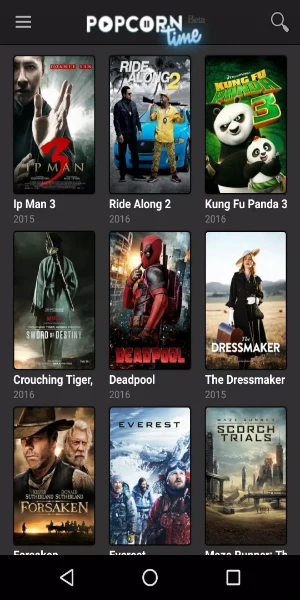
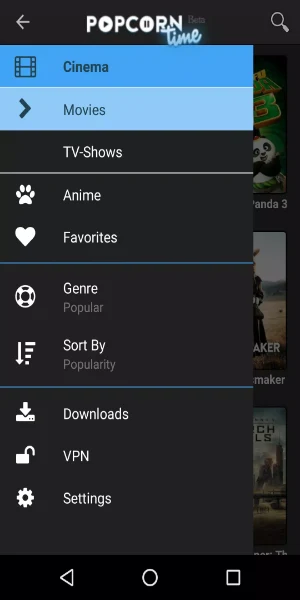
The home screen gives quick access to the latest movies available through the app. From the same screen, a tap opens show selection or search tools, which the listing presents as the main way to find content. The listing describes a library that includes movies, TV series, anime, live streams, exclusive channels, sports, and news. It gives examples such as The Last of Us and Fallout, though it does not provide a full catalogue.
Subtitles and playback options
The listing says subtitles can be added when needed. Users can drag and drop their own .srt subtitle files into the app and continue watching. Other playback options described in the listing include playing downloaded files directly and saving files to watch later. A Watched icon appears on content that has been viewed, and users can also mark titles manually, which the listing presents as a list-style tracking feature for viewers who watch many episodes in a row.
Temporary files and storage
The listing notes that video files may sometimes be stored on the device. It advises users to clear the app's temporary files folder from time to time. The app is also described as able to store video files temporarily so that space can be freed when needed. The listing includes occasional manual cleanup of temporary files among its disadvantages.
Device suitability and limitations
The listing says the app works best on tablets and on devices that support Android on TVs. It also states that a stable Wi-Fi connection is needed for optimal performance. Among the limitations listed, the source notes that the app lacks extensive customization options. The supplied data does not include a verified minimum Android version or hardware requirements.
Legal and security notes from the listing
The listing's closing summary says users should be aware of legal risks and should make sure they use a secure and reliable version of the application. It also suggests using a VPN and keeping the application updated. These are recommendations from the source text. They are not independently verified here, and the supplied information does not provide further detail on them.